
BADS diagrams that do themselves.
Automatic BADS diagrams saving you time.
Designs will keep changing. The busywork doesn’t have to.
Every apartment planning application in Victoria needs BADS diagrams. Here’s what QuickBADS takes off your plate.
01 · Today, manually
Every design change means starting again.
Place fills manually
One fill at a time, measured manually.
The design changes
A wall moves, dimensions change.
Redraw the fills
Each one drawn manually, again.
Recheck compliance
Areas and widths against BADS, again.
02 · What changes
Same workflow. Three of the four steps stop being manual.
03 · With QuickBADS
One click in Revit. Compliance in colour.
Fills placed for you
Click ‘Place BADS’ and all rooms are filled.
The design changes
Move walls as often as the project needs.
Fills auto-update
Fills follow the new design instantly.
Check at a glance
Compliance compiled into one colour-coded schedule.
Compliant apartment layouts proven within minutes rather than hours.
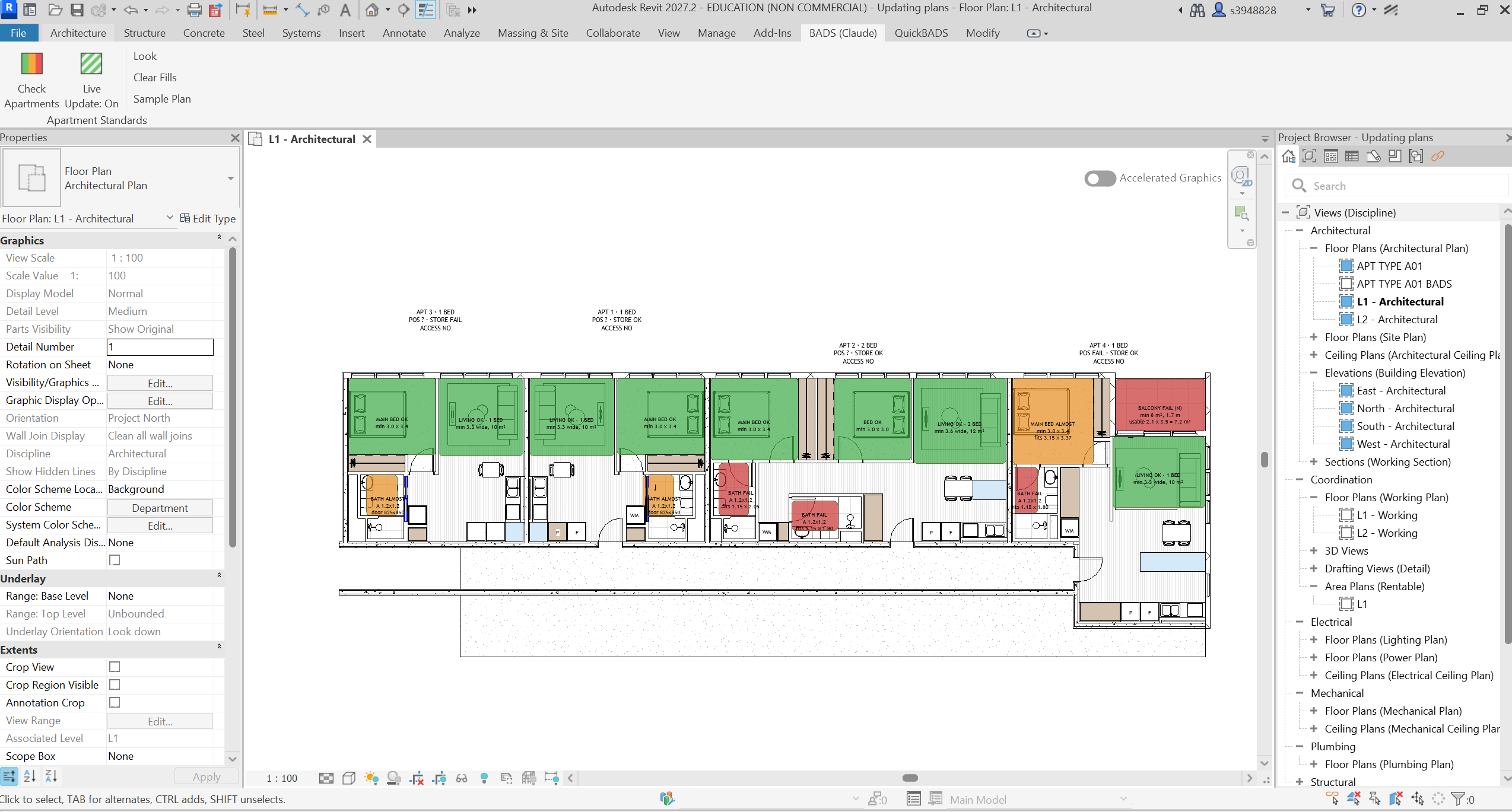
Every room filled and graded green, orange or red, right on the Revit plan.
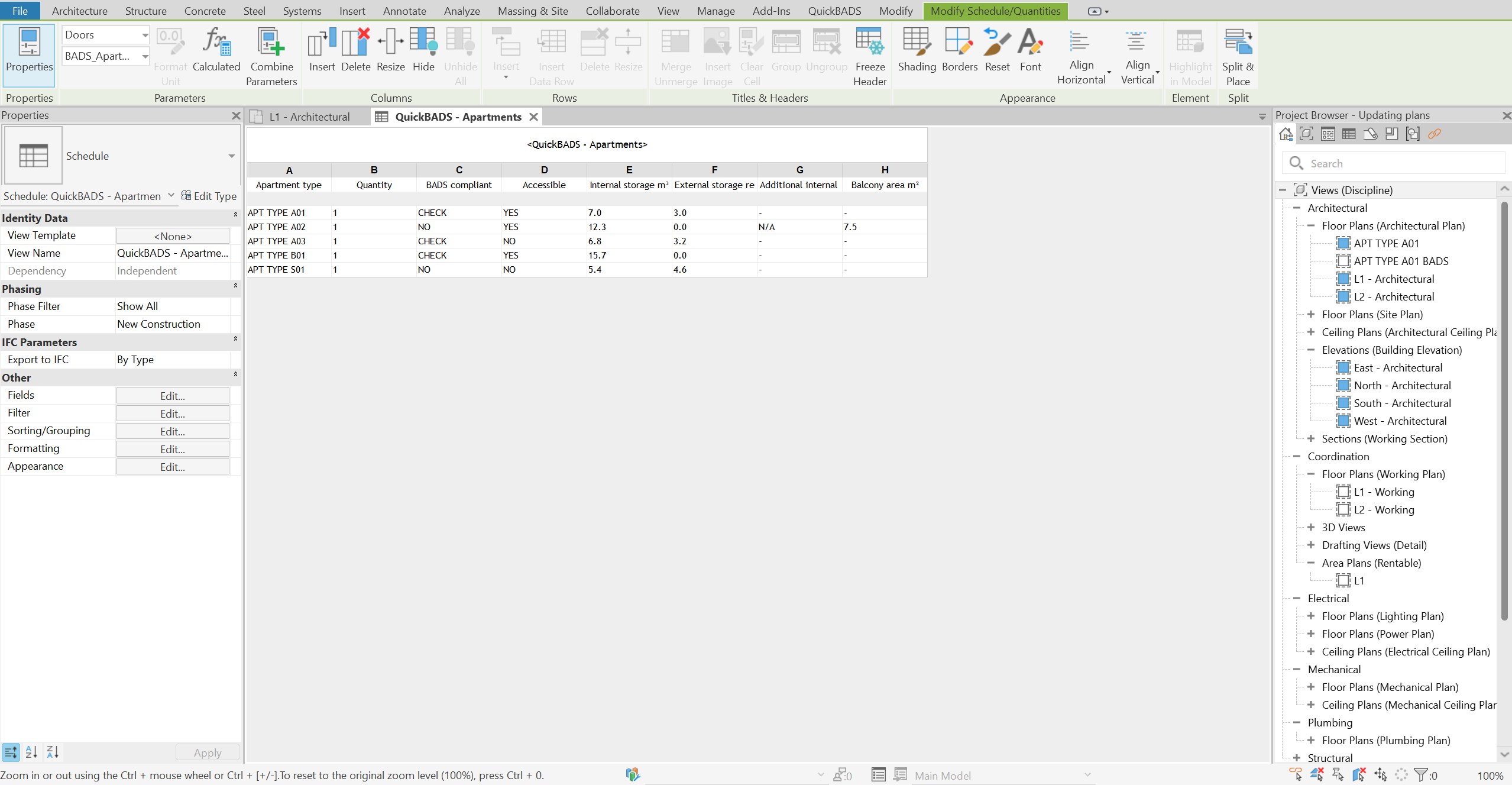
An apartment schedule that tracks BADS compliance, accessibility and storage.
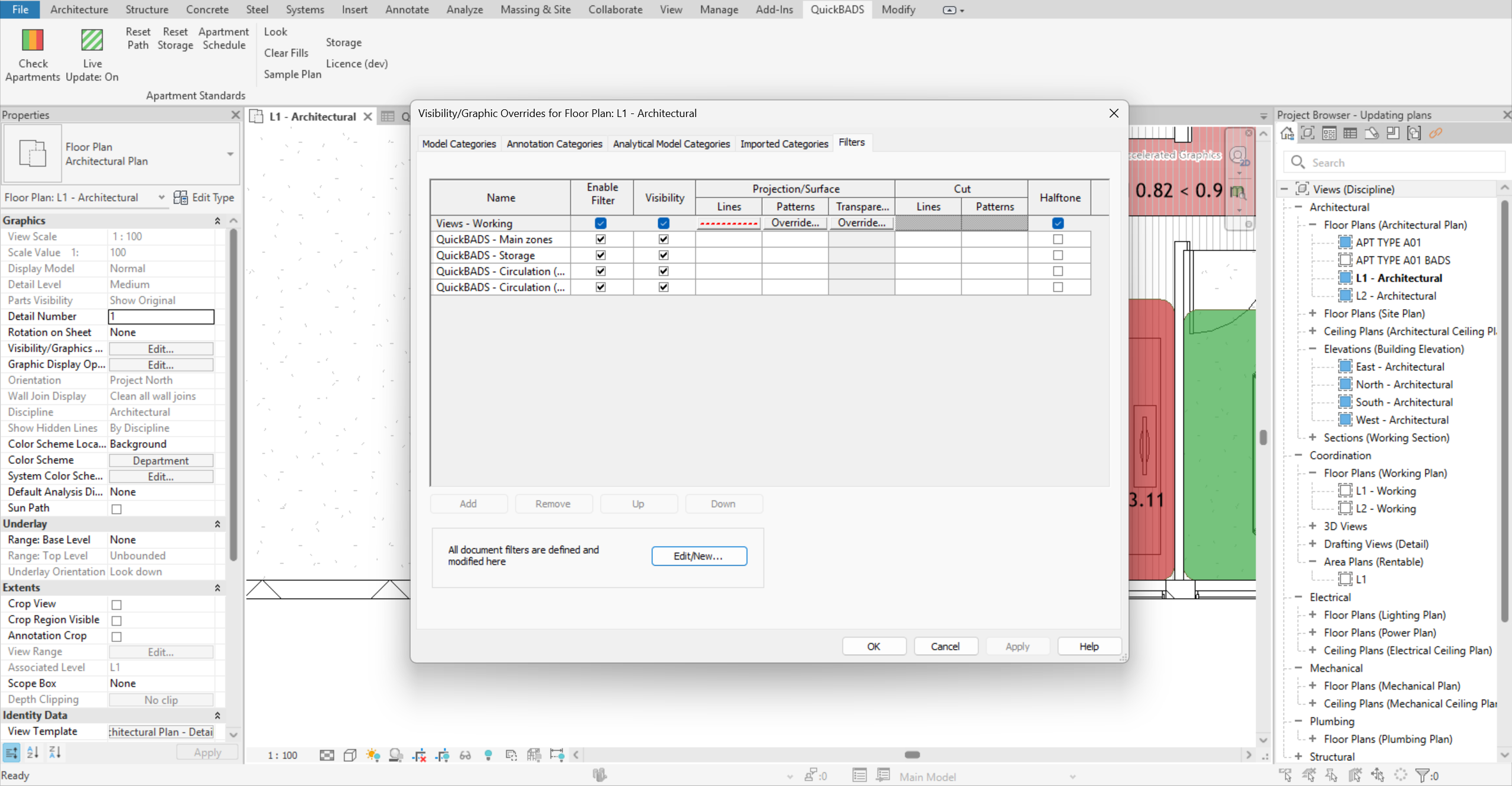
View filters that split out main zones, storage and circulation.
Anyone who works with plans: architects, developers, planners, graduates and architecture students.
See at a glance what needs updating, changing or checking.
Turn BADS diagrams around faster, from first draft to final check.
Works inside Revit, so you spend less time checking compliance and more time designing.
Frees up project fees by updating and checking diagrams automatically.
One plan.
Everything included.
- A plugin that works inside Autodesk Revit
- One click checks every apartment on the plan
- Instant colour feedback: green is compliant, orange is almost compliant, and red isn’t
- Fills update automatically as the design changes
- Compliant apartment layouts proven within minutes rather than hours
Do the work worth doing.
Automate the rest.
‘Why am I doing this again?’
‘This will be quick.’
Cut the repetition
Automate the tasks that must be done but aren’t worth the hours.
Keep full control
Every design decision stays yours.
Design more
Time back for the work that matters.

She helped found QuickBADS on the basis that designers need more time to design.

Starting QuickBADS was a way to help yet more people and find ways to minimise tedious tasks so that quality design can be prioritised.

As CPO, Zach makes sure QuickBADS is built around the way designers really work.